Note
Go to the end to download the full example code.
Using Camera Arrays
This example demonstrates how to create and visualize a CameraArray, which combines multiple individual camera views into a single, wide field-of-view image.
import datetime
from arguslib.camera.camera_array import CameraArray
from arguslib.camera.undistorted_camera import UndistortedCamera
from arguslib.camera.camera import Camera

dt = datetime.datetime(2025, 3, 25, 9, 0, 0)
Creating a Basic Camera Array
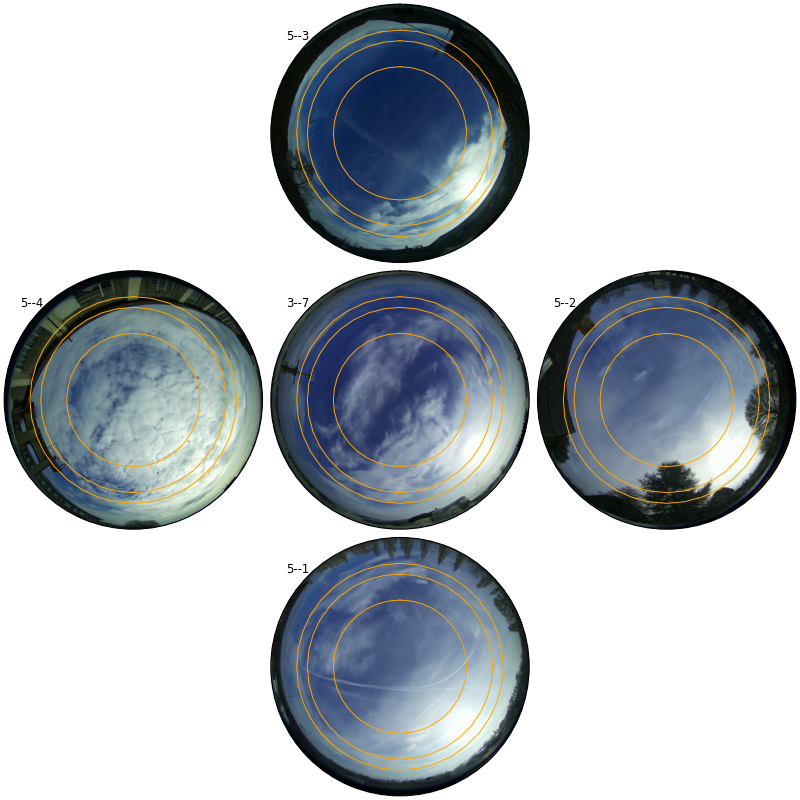
A CameraArray can be created from a configuration file. By default, it uses the standard Camera class for each camera in the array. The show() method plots the images from all cameras, stitched together.
Note the visible lens distortion (barrel distortion) at the edges of the combined image.
basic_array = CameraArray.from_config("COBALTArray")
ax = basic_array.show(dt)
Using Undistorted Cameras in an Array
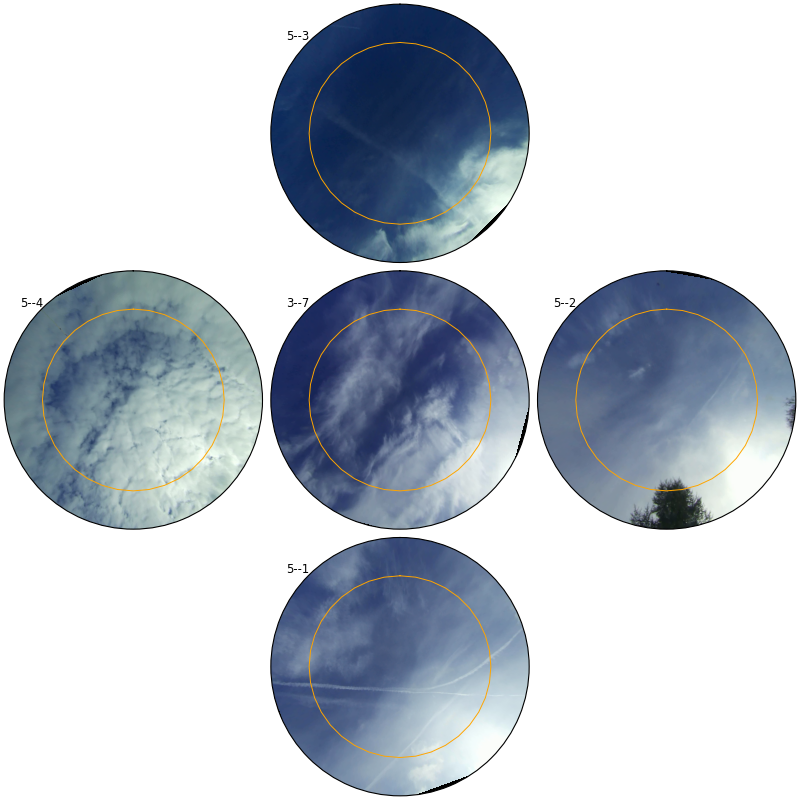
To correct for lens distortion, we can specify UndistortedCamera as the camera_class when creating the array. This produces a more natural-looking composite image, which is especially useful for wide-angle views.
undistorted_array = CameraArray.from_config(
    "COBALTArray", camera_class=UndistortedCamera
)
ax = undistorted_array.show(dt)
Total running time of the script: (0 minutes 14.201 seconds)